

Cannot do 'npm start'
Hi there,
I was trying to follow the instruction in:
Daml 101: Meet Your Tools: Script, Sandbox, & Navigator [2021]
at 7:25 / 15:00, the guy typed in ‘npm start’, which was working, but when I did that it was just errors like this:

why it was like that and how can I fix it? Thank you!
Btw, I have no coding experience.
Great question, and welcome to the Forum.
I do not have a Mac but I did a quick look at the video from 7:00 minutes plus and I think it is possible that you missed a step.
Rough process:
- You make the app
- Change into the /ui directory
- Install the NPM components globally into the system
- Install the project specific NPM bits
- Start the app with the installed NPM bits
A screenshot attached with the step highlighted in Red.
Hope this helps.


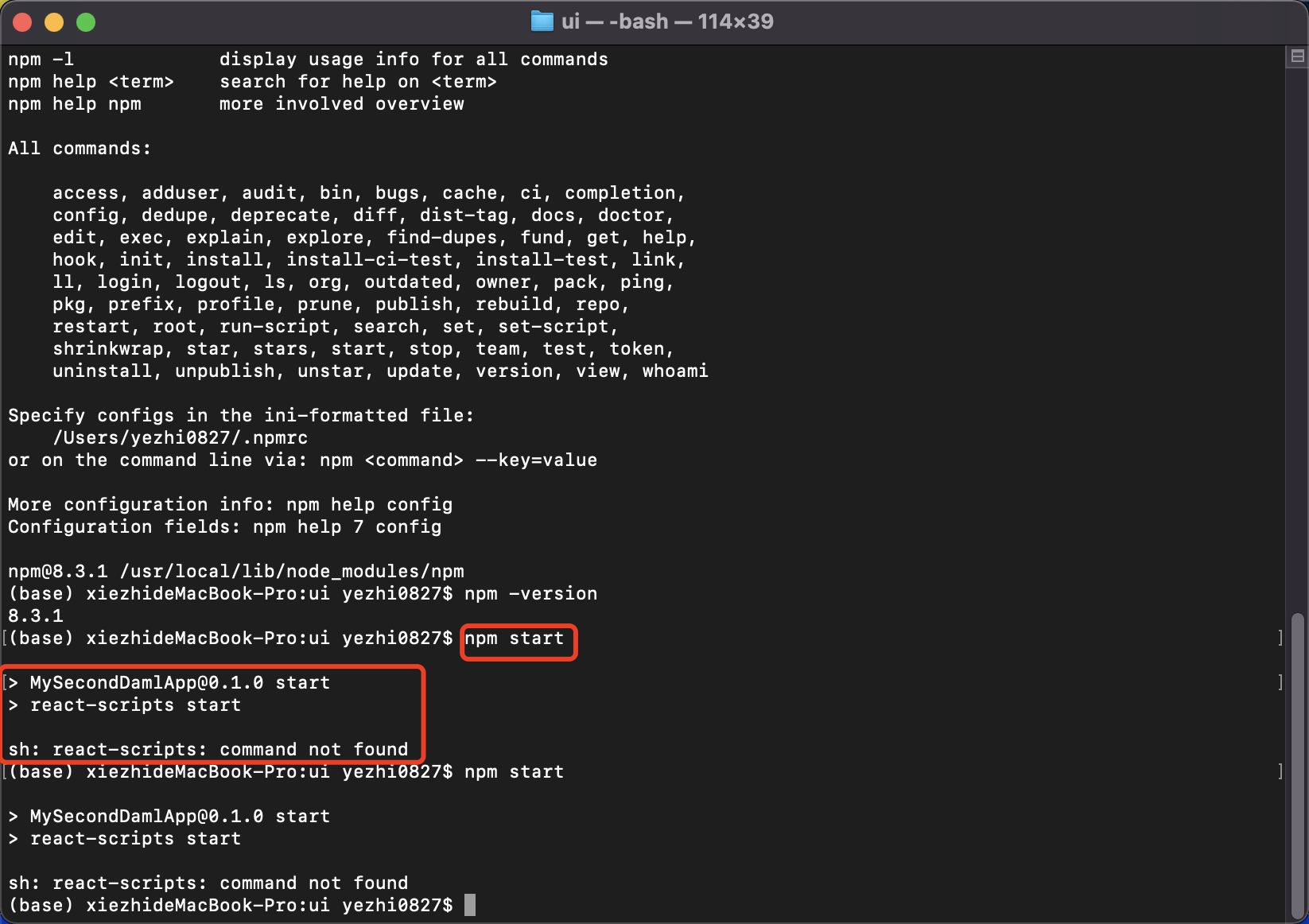
Did you run npm install first in the ui folder?


That looks like you may have skipped the daml start step.
Once a topic is marked as solved, people tend not to look at it anymore. If you have further questions, it’s usually better to open a new topic.